
Listen Now
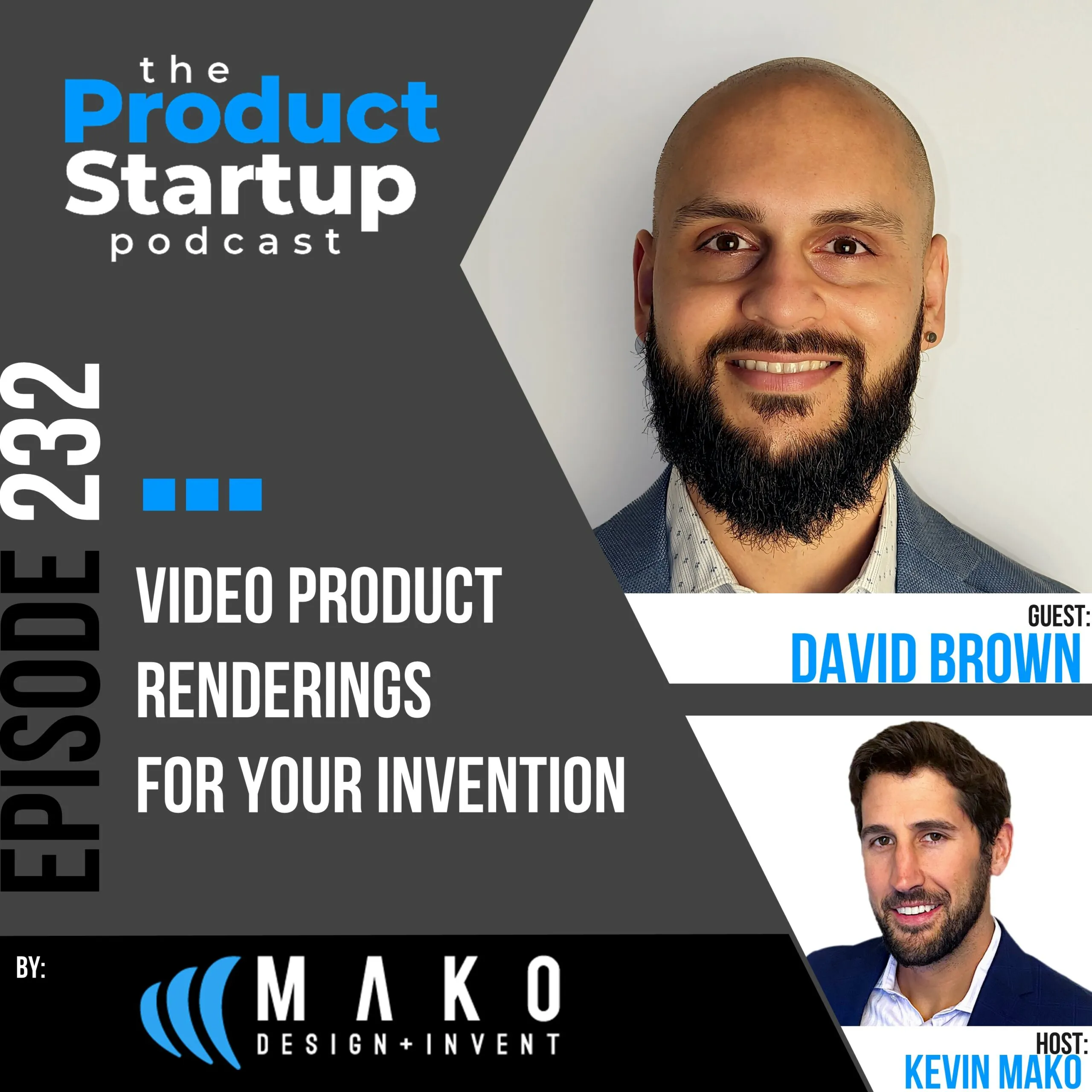
Guest: David Brown, Industrial Designer at TriMech Design Solutions (formerly MAKO).
Host: Kevin Mako, founder of Product Startup and the leading expert in hardware startup consulting. A hardware entrepreneur since 1999, Kevin has advised more than 1,500 founders and built and scaled MAKO Invent through its acquisition by TriMech in 2024.
Episode Overview
David Brown explains how 3D CAD data becomes a polished product video, from assigning materials and lighting to choosing camera views and building a storyboard. The discussion covers exploded views, demos, tutorials, and product behavior that would be difficult to film in real life. Founders will learn where renderings support investor communication, customer education, and launch marketing, while still recognizing the role of physical prototypes.
What You’ll Learn in This Episode
- Using video renderings is like bringing Hollywood to your product design!
- Video rendering is essentially taking 3D CAD designs and making a video with that series of images and data.
- The process includes considering the materials used for each component and surface of the product and incorporating them into the design.
- It is like setting up a virtual camera that provides a full-scope view of the product in the setting where you would naturally find it.
- You must also take into account the environment and lighting!
- You can create things with video renderings that cannot be done in real life; this is one of its primary advantages.
- Exploded view renderings show how the product comes apart and all of its pieces.
- You can use these tools to explain a lot about a product and inform potential consumers.
- Product demos and tutorials are other uses for video renderings.
- How can you direct your designers to build a great hardware product rendering video for what you need?
- The core requirement for making the video is creating a storyboard and ordering the elements to effectively tell the story.
- Video renderings are standard these days for a great product, but you also need to develop a prototype!
- There is post-processing of the video as well to refine the story being told and how it is presented.
Episode transcript
This transcript is provided for accessibility and reference. Download the SRT transcript.
Read the full episode transcript
Kevin Mako: Hello, product innovators. Today, we learn about the benefits of hardware product video renderings from a senior industrial designer.
Kevin Mako: This is the Product Startup Podcast, a show to learn from top leaders in hardware product development, prototyping, manufacturing, product selling, and everything in between. Hosted by Kevin Mako, the leading expert on product development for hardware startups.
Kevin Mako: Welcome back, everyone. I'm very excited to introduce David Brown back to the show. David is an industrial designer at our very own Mako Design. He is a specialist on hardware product video renderings with both an industrial design and design engineering background.
Kevin Mako: Today, David will share valuable knowledge for inventors, startups, and small manufacturers on what a 3D CAD video rendering is, how those videos are made, and how these renderings can help with many areas of the product startup journey from investors through to sales.
Kevin Mako: Now, onto the episode. This show is produced by Mako Design, the original firm providing end-to-end consumer product development services tailored specifically to hardware startups, small manufacturers, and inventors.
Kevin Mako: Take your product from idea to store shelves at MakoDesign.com. Now, onto the episode.
Kevin Mako: Hey, David, welcome back to the show.
David Brown: Hi, Kevin. It's great to be back.
Kevin Mako: Looking forward to talking to you today about video renderings for a new hardware product.
Kevin Mako: Last time that you and I talked, it was about image renderings and how you could essentially take your CAD files and really make them pop off the screen using image renderings and the technology behind it and the advantages of startups.
Kevin Mako: If you haven't checked out that episode, go check it out. It's David Brown's earlier episode on the Product Startup Podcast. But today, we're taking it one step further with video renderings. This is something we do a lot for clients.
Kevin Mako: This is something that now we're taking the CAD and just digitally showing amazing videos with lighting and backgrounds and all the rest to really showcase early renditions of a product or even late-stage renditions of the product for marketing and promotional purposes.
Kevin Mako: Before we get into all the good things around video rendering, tips and tricks, how it's done, and best practices, David, just give us a bit of a background of how you got to where you are today.
David Brown: Yeah, for sure. No, my pleasure. I went to university for mechanical engineering at University of Toronto and then went into a company called In-House Solutions. It's a CAD CAM company.
David Brown: It's a CAD/CAM company. Did some design work and some developing over there and then moved to industrial design, actually with my sights on Mako the whole time. And so I actually went through some experiential marketing, pop-up displays for luxury brands. Things like that.
David Brown: It was fun. Got me some good DFM experience. And then that took me to Mako about two years ago. Yeah, it's been amazing here so far. The whole goal of coming here is working with inventors. I love the idea of that, bringing people's ideas to life. Who doesn't love the show?
David Brown: You know, Shark Tank, Dragon's Den. That's everyone's favorite thing. And if I get to make that a reality, why not? So, yeah, it's been a journey and a really great time to get here.
David Brown: And it's been really awesome just working here and doing this, bringing people's dreams to life every day. It's kind of everything I was hoping. And getting to work with, you know, the best in the industry and learning all the different ways.
David Brown: Each of us kind of have our own perspective and experience that makes us so different. And we really can just brainstorm, collaborate on all these projects. And yeah, it's just been a pleasure so far.
Kevin Mako: Well, you've done great. Two years of all kinds of different amazing consumer products coming to life at your hands. And you've done a lot of work on the video rendering side of things, which is taking these designs, engineering, etc. And really making it pop on the screen.
Kevin Mako: In motion. So, let's talk a bit about that. High level. What is a video rendering of a CAD product?
David Brown: Yeah, for sure. So, you know, it's like bringing Hollywood to your product design. And it's really awesome. And a lot of people might think, yeah, they can't achieve this or they can't do this so early on the stage. But you definitely can.
David Brown: So, it's taking that 3D design that we've already made and essentially making a video of that. And you see it all the time for ads, commercials like Apple when they're showing their MacBook and their phone.
David Brown: When they're doing these things that defy the laws of gravity and physics. Those are all animations, 3D video renderings of their products. So, to put it simply, it's just presenting your 3D design digitally and it looks completely real.
Kevin Mako: Yeah, and that's amazing because really the CAD is done on engineering software and it looks very visual like a CAD model. Of course, you can touch it up and jazz it up. But there's nothing like then taking it into CAD and making it look like an actual real. Yeah.
Kevin Mako: Product in your hand. Most people don't realize that the vast majority of what you see on TV for hardware products, automotive, etc. Is almost all done in renderings, at least for the product itself. Background might be shot in a mountainscape.
Kevin Mako: The actual car that you see driving up that mountainscape, although it looks like it's moving along, suspension, dust flying off, all this sort of stuff.
Kevin Mako: That's being done first as CAD renderings and then touched up with CGI and a bunch of other things to be put into the commercial. Talk a bit about this process. What does it take to go from that? That CAD file into an actual video using video rendering technology?
David Brown: Yeah, for sure. So very complex, big topic, but high level. We take that 3D CAD file, that software, and we bring it into that rendering animation software. And then you just essentially need to bring it to life. So you have something 3D that's this blank canvas.
David Brown: Well, this thing needs to be made of certain materials, which you already know. So we apply those, whether it's plastic, wood, the colors, the finishes. You get that product. It's a product looking really real.
David Brown: Not only that, you have to actually, you're essentially taking pictures and videos. So you have a camera that you have to set up virtually. The perspective, the focal length, and the things like that. And then your environment. Where is this product placed?
David Brown: Is it in a studio or is it somewhere outside? And with that, not only is it just the background, you're doing the lighting, everything like that. So you're essentially making this virtual reality of this product. So high level, that's what it is.
David Brown: But when you get into the nitty gritty, you know, we could talk for years on that.
Kevin Mako: That's great. I mean, that's a great overview as well. You've got obviously your environment and lighting and all that. You've got your camera angle, fair and note. Where is that camera on the scene? And it's digital. So you can put it anywhere.
Kevin Mako: And then, of course, you've got all the backgrounds and such. And the nice thing about CAD software these days and the technology we can use, it's evolved a lot. It can look really realistic.
Kevin Mako: And all of these three categories that we're talking about can interact and interrelate through this motion graphics animation. After you set your scene, you start running the programming.
Kevin Mako: David, talk a bit about some of the tips around different options you can do to showcase a product. Things like exploded view, exterior studio, different things that you like to use—some of the tools to really highlight a new invention idea externally and internally.
David Brown: Yeah, definitely. Actually, going back to your example, when you're talking about the car, I was going to mention something on that. With these 3D rendering and videos, these animations, you can do things. Things that aren't possible in real life.
David Brown: Even if you have that car, you have the best equipment in the world, the camera crew, everything.
David Brown: You see these videos and sometimes they'll show the car and then you do that close up part of the car goes transparent, translucent, and then you just see the suspension system running.
David Brown: Then it goes back to the car, then everything else goes invisible, and then it goes to the engine. You see that running, then it hides everything. You go into the interior, you see the seats, the wheel, all that.
David Brown: All that is obviously, you know, people call it CGI, but that's the rendering, the video. So you can do things there that you can't do anywhere else. So when you want to showcase something like that, it doesn't have to be a car. It could be your consumer product.
David Brown: Maybe you have a really complex, innovative way that this thing has been constructed and put together and a lot of components. And maybe you see the product on the outside. It looks really simple because usually that's the best product design is something that looks simple.
David Brown: But is it necessarily simple? You can explode that. And so when we say exploding, that's when you see it.
David Brown: You see in those videos, it slowly looks like it literally explodes, like all the components fly apart and you see all the internals of what's going on inside of your product, your device.
David Brown: And not only is it very exciting, you know, as a user to watch, you get that emotional experience with it, but it could teach you a lot or, you know, explain something to the user when they're seeing it.
David Brown: They see it and they're like, wow, I kind of have a better understanding of how this works. I see all these gear mechanisms or whatever it may be inside there, all the electronic components. Maybe you didn't even realize. There's electronics you didn't see until you saw that.
David Brown: So that can be a really big benefit when you're doing something like that, if it's an exploded view. And there's also whether it's exploded or not, it's really useful for something like a product demo or tutorials. It doesn't have to be marketing.
David Brown: You're not you don't necessarily have to use this for an ad or, you know, crowdfunding, which it usually and often is used for and recommended. You can have it so that if maybe you're showing how this product is used, you know, everyone reads through those instructions.
David Brown: You don't have to go through the instruction manual and you need it when it comes with it. But when it says or click the YouTube video, it takes you there. You see this product, whatever knobs, components, buttons turn pressed and it's showing you how to actually use it.
David Brown: It just explains so much more on another level. So it adds a lot of value in that way, too.
Kevin Mako: I love that you mentioned all these things that you can do that really can't be done in real life, because even if you're further down the development process and you've got a really good reproduction prototype with all the finishes and all of that.
Kevin Mako: Of course, you can do studio shots. Home-based shots, professional, whatever the case is, of the video of the product. But the best invention videos typically pair that with some of the CGI based rendering videos, especially when we're talking about things like exploded view.
Kevin Mako: One of the easiest ways that you can show all of the hard work and the detailed engineering is looking inside. So exploded view is one.
Kevin Mako: But because you have all these different camera angles, if you want to zoom right in onto some internal ribbing, it's really unique and advanced inside and how it's holding up.
Kevin Mako: So if you're building the computer chip in place with the specialized screw, all of that can be done because you have the control of where you're placing the camera lens.
Kevin Mako: So if you pair that with real world video of maybe somebody actually using your product and then showing this kind of CGI of why it's so advanced and how technical it is on the inside, it's very powerful.
Kevin Mako: And the second thing I like that you brought up, David, is there's many use for renderings. If you're doing renderings earlier on in the development process, it's a great way to get investor interest. So if you're one of those startups, which is quite common,
Kevin Mako: that maybe is self-investing up to the halfway point, got to a certain level, but you need budget to get it now through to and including manufacturing.
Kevin Mako: What a great way to really highlight all of the work that you've done already to show an investor that you don't just have a design or maybe a rough prototype, but you have a lot of really detailed and powerful engineering tools inside.
Kevin Mako: Of course, from a marketing sales perspective, as you get closer to crowdfunding, now you can start using some of these visual renderings to really have the product pop to these potential end customers. Not only saying, hey, look at how great.
Kevin Mako: This product is, and as David mentioned, look at how it works, but also look at how amazing some of these internals are. Look at the engineering behind this.
Kevin Mako: Look at the depth of research that's already done to give you confidence as a crowdfunding purchaser to preorder the product in advance, because now you've seen the guts of all the engineering that's going into making this thing work.
Kevin Mako: So there's a lot of different advantages, a lot of different methodologies to these tools that you, as an inventor, as a hardware startup getting your product out to the market or to investors, or even just getting buy-in, or even just internally understanding the product better within your key stakeholders.
Kevin Mako: All of these things. All of these things can be used with smart rendering technology, and the videos are relatively—I say relatively—easy to put together, much easier typically than getting a whole studio and doing professional shots.
Kevin Mako: Usually the renderings can be done in a matter of hours. So David, I want to jump into that a bit.
Kevin Mako: Like what does the actual rendering process look like, you know, talk about the time to actually build this and put it together and then the actual rendering itself and then the post-processing review that you would look over before using it to send out to a client.
David Brown: Yeah, certainly. So on that, I'll also kind of.
David Brown: Touch on from our listeners point of view, how they even go about doing this, say when they're working with us, because, you know, when you're making these videos and these renderings, it's not just about, okay, I want these cool angles. I want this thing spinning.
David Brown: I want to do a really close zoom in with the light reflecting off of it. All those are components that will be part of the video if that's something you want. But initially the kind of the thing you need first is what are the requirements of this video? What is the purpose?
David Brown: Because with that purpose, then we will, you know, essentially build that storyboard out. And then put all those things I just described together to tell that story.
David Brown: So a lot of the time, if this is a crowdfunding video, okay, well, we know, have an idea right away what we want to do. Or if this is just maybe a quick teaser or like I said, maybe that tutorial.
David Brown: Now we know what we need to achieve when it comes to actually putting this video together. And actually to talk on one thing, Kevin, that you made a great point about. And I actually wanted to mention on was, yeah, these videos are awesome and they're great.
David Brown: And I think it's almost like, you know, a staple now. Standard to try and have this with your product, your invention. But you need that prototype too. That's like the trailer for what this is.
David Brown: And then if someone sees this video right away, you get those investors' attention or something like that. And then when you come to meet them and you actually have it in your hand, that speaks volumes. Because right away, like you said, you see the internals.
David Brown: You see how complex this product is. You see all the time, the engineering, the design, the research that went into it. And then with that, now you're actually seeing it in your hands. This thing's actually been made.
David Brown: You can feel it because I don't want to get too much off topic of the video. But when you're actually feeling it, you know, it pairs so well with the video that really helps you, you know, take this thing further.
David Brown: It reduces the risk from that investor because now they see, okay, I see all the design. You know, you can see it in a few seconds. It tells you the whole story. It's in my hand. There's way higher chance that they're probably going to invest in the product.
David Brown: That's definitely a really important part about it. But yeah, in terms of actually putting these videos together, like I said, you make that storyboard with the client. We decide what we're going to do. And then usually it's the 3D modeling.
David Brown: In this case, we probably already created the design. This is after we probably created the concept or maybe a prototype. And then, yeah, you put in, again, everything I mentioned about the setting.
David Brown: If we know what this is for, we'll know, okay, we want this in a studio or we want to make it seem like it's outside. Put all this together. And then, you know, the fun technical stuff of actually making all this come to life in the video.
David Brown: And then, like you said about post-processing. Well, now I've got all the raw footage. There's virtual footage. And now I need to, you know, essentially put this together in a video. And so whatever software you might use, you put all these clips of your videos together.
David Brown: You usually put some transitions between the two. You don't just have, you know, one video just snap to the other one. Usually, you know, whether it's fading, pulling away, whatever that may be.
David Brown: You need to take that video and then now actually make it presentable in that type of presentation. And then, you know, if we're working with our clients, in this case, we'd get the feedback. Get those revisions made until we've perfected that video.
David Brown: And then now you're ready to go, whether it's to that investor, to the crowdfunding. If this is already out and then this is a commercial or an ad, you're going to be ready to go. And it's going to set you up in the right way.
Kevin Mako: These things look great on websites, too. There's a lot of plugins where you can actually run these either as a video or actually as CAD integrations into a website.
Kevin Mako: So if you've got a product showcase website, which I highly recommend as you are getting to either crowdfunding or if you're going direct to market.
Kevin Mako: Whether it's direct to consumer or whether it's to distributors, wholesalers, or even direct to retailers, you're still going to want a showcase website somewhere.
Kevin Mako: And these are just a fantastic way to pair with obviously your real product, your physical product, but then showing all the internals that exploded. Some beautiful renderings, both in still and in video across a variety of different mediums.
Kevin Mako: There's some cool stuff you can do with trade shows as well by having it on the screen behind you or having QR codes that then access these things. There's some other things, too. Like they've got augmented reality stuff that you can do.
Kevin Mako: You can do now with tablets and with glasses and all that sort of stuff as well with these renderings and videos. That's getting a bit ahead of us.
Kevin Mako: But know that there's a lot of tools once you have these things to use to leverage the product that you've already spent all that effort creating and designing. Now it's popping it onto the screen to accelerate that interest.
Kevin Mako: And then, of course, it's not just accelerating the interest, but it's also validating it on the back end as well.
Kevin Mako: And you're really trying to play both of those things with the digital models that you're doing with these renderings, but also with the physical products you're doing as you go into production. I appreciate that. You're mentioning there, David.
Kevin Mako: So any last words on video renderings? Any last tips for hardware startups that are going through the process and maybe considering video renderings for their specific hardware products?
David Brown: I guess the last thing I would say is definitely consider it. It's not as a massive thing as you might imagine. This isn't doing a photo shoot, like I said, with camera crew, with the studio, you know, with all this big production.
David Brown: It's essentially just going to that designer and putting that video together. It's worth at least looking into because it can just take you places. You know, the other parts just can't.
David Brown: It's that perfect package of putting everything together and it supplements your design, your invention in such a great way. So, yeah. And who knows? Maybe one day I'll be working on that with you.
Kevin Mako: Right on. That's a good point that you brought up as well about the cost. The sky's the limit here. But know that you could also do a relatively simple version of this. So it's totally up to you as the inventor, the startup. It's up to your creative direction.
Kevin Mako: Is this something that's like really serious? Is it going to be front facing? You're going to have a TV commercial? Okay.
Kevin Mako: We're going to want to do a lot of things, potentially both in how we're setting up the scenes, the amount of depth, the resolutions, et cetera, let alone the post-processing, even potentially some CGI that's being put in there.
Kevin Mako: But if it's just an investor thing to maybe show how some of the internal mechanics work or it's just a how-to guide, one of the options you mentioned earlier, David, it could be a relatively quick and inexpensive process. For us, it's just setting up the scene.
Kevin Mako: And then actually the computer does most of the work. We'll let that sit and run potentially over the weekend. If it's a bigger video, just a few hours. If it's a smaller video.
Kevin Mako: But it's just cranking away, building out that video after we've set all the scenes, all the camera points, all the servicing, et cetera. That just goes into essentially the setup. It takes a few hours to do that.
Kevin Mako: And a lot of the heavy lifting is done via the later stage processing on some pretty beast machines that we use to crank through that as quickly as possible. So just know that really the sky is the limit. We've done some very advanced stuff.
Kevin Mako: I think at VOCA Eyewear that we did, it had literally like dust molecules and how they actually float through the glasses. And around the glasses.
Kevin Mako: So we were putting in elements of particles in addition to the actual renderings of the sunglasses themselves, in addition to how they connect in with multiple different surfaces and backgrounds. Now that's complicated.
Kevin Mako: But if you're just looking for a quick, exploded view, then again, it can be done relatively quickly.
David Brown: Yeah, for sure. Yeah. I think that's a big takeaway that our listeners should have here is that one of the big benefits is just low cost, relatively speaking, when it comes to making a video of your product. And yeah, it can take you a long way. So definitely recommend it.
Kevin Mako: Thanks, David. Appreciate all your words of wisdom today on video renderings. Anybody who's interested to learn more about video renderings or potentially how they can work for your product, we'll have links below. You can click through. Check out MakoDesign.com.
Kevin Mako: See more about taking your product to the next level. David, much appreciated again. And we'll look forward to having you back on the show again soon.
David Brown: Okay. Thank you very much, Kevin. Talk soon.
Kevin Mako: Take care. Bye-bye. Thanks for tuning in to this episode of the Product Startup Podcast. If you found some value in the show, please do us a huge favor and hit the like button. And subscribe.
Kevin Mako: If you have any questions, guest suggestions, or anything else, feel free to reach out to us anytime at our email, podcast@MakoDesign.com. This show is hosted by Kevin Mako, North America's leading expert on product development for hardware startups.
Kevin Mako: And the podcast is produced by Mako Design, the original firm providing end-to-end consumer product development services tailored specifically to hardware startups, small manufacturers, and inventors. Take your product from idea to store shelves at MakoDesign.com.
Kevin Mako: That's M-A-K-O Design dot com. Thanks for joining, and see you again soon.
Product Rendering Strategy for Founders
Turn Your Product Story Into a Clear Visual Brief
Planning a rendering video for investors, a crowdfunding page, or your first product launch? Kevin can help you clarify the audience, story, proof points, sequence, and calls to action before you brief a rendering specialist, so the final asset supports a real business objective.
He can also help connect the rendering plan to prototyping, fundraising, launch marketing, and the broader go-to-market roadmap, and help identify qualified specialists when there is a fit.
Request a Product Rendering Strategy Call
Tell Kevin what you are building, who needs to understand it, and where the video will be used.